
On this page
Most B2B lead magnets ask visitors to download something static.
A workflow quiz does something more useful. It helps the visitor understand how their team works, where collaboration breaks down and what kind of operating model could make execution easier.
That is why the Slack Team Workflow Quiz is a strong example of an interactive lead magnet.
Instead of asking visitors to read a guide, it asks a few focused questions about their team, tools and collaboration pain. Then it returns a personalized recommendation with channels, automation ideas, async rituals and a simple rollout plan.
The visitor gets useful insight. The business captures qualified context.
That is the core idea behind Magnetly.
Why this workflow quiz works as a lead magnet
Most teams do not wake up thinking they need another workflow tool. They feel symptoms.
They feel that conversations are scattered. Decisions are hard to find. Ownership is unclear. Handoffs are messy. Requests get lost. Meetings multiply. New teammates lack context.
A static guide can explain these problems, but it cannot diagnose them for a specific team.
A workflow quiz can.
The quiz creates a small consultation moment. It asks the visitor about their team type, team size, current tools, biggest collaboration problem, workflow to improve, desired outcome, collaboration style and structure level.
That makes the final result feel specific.
A visitor is not just reading about better collaboration. They are receiving a workflow recommendation built around their situation.
This is why interactive lead magnets are so powerful. They do not just collect an email. They collect the context behind the lead.
Static content teaches. Interactive tools diagnose.
Why a Slack style example makes sense
Slack is strongly associated with team communication, channels, async updates, integrations and collaboration rituals.
That makes it a natural reference point for this kind of lead magnet.
A Slack style workflow quiz does not need to analyze a real workspace. It can ask the right questions and generate a directional recommendation based on the visitor's answers.
For example, the quiz can recommend one of several workflow patterns:
- Async project hub
- Request intake and triage workflow
- Launch room workflow
- Sales and customer handoff hub
- Knowledge to action workflow
- Incident or support escalation workflow
- Leadership update loop
- Onboarding command center
Each pattern solves a different collaboration problem.
A marketing team launching campaigns does not need the same setup as an engineering team handling incidents. A sales team managing handoffs does not need the same flow as a leadership team managing weekly updates.
That is why the quiz works. It translates a broad collaboration problem into a specific workflow recommendation.
The question strategy behind the quiz
A good lead magnet does not ask random questions. Every question should do one of two things.
It should either improve the result for the visitor or help the business qualify the lead.
For this Slack Team Workflow Quiz, the questions are designed around four layers.
1. Understand the team
The first layer identifies who the workflow is for.
A product team, sales team, customer success team, marketing team or leadership team will not need the same operating model.
Team size matters too.
A team of 1 to 5 people needs a lightweight workflow with fewer channels and simple rituals. A team of 50 or more can handle stronger governance, naming rules, request intake and reporting rhythms.
This helps the final recommendation feel practical instead of generic.
2. Understand the tools already in place
The quiz also asks about the tools the team already uses.
If the team uses Notion, Google Workspace, Jira, Linear, GitHub, Salesforce, spreadsheets or email, the recommendation can adapt.
For example:
- If the team uses Notion, Slack can become the coordination layer while Notion remains the durable knowledge base.
- If the team uses Salesforce, the recommendation can include deal handoff channels and CRM triggered updates.
- If the team relies on email, the quiz can recommend moving recurring updates and decisions into shared channels.
This makes the result feel operational.
3. Understand the bottleneck
The bottleneck is the emotional core of the quiz.
The visitor might say:
- conversations are scattered
- decisions are hard to find
- projects move without clear ownership
- too many meetings slow the team down
- requests get lost
- handoffs between teams are messy
- new teammates lack context
Each bottleneck points to a different workflow.
This is what turns the quiz from a simple form into a real diagnosis.
4. Understand the desired outcome
The final layer is the desired outcome.
Some teams want fewer meetings. Others want better visibility, faster handoffs, clearer ownership, stronger async rituals or more repeatable processes.
The desired outcome tells the AI what the recommendation should optimize for.
A strong output does not just describe the problem. It gives the visitor a next step.
What the visitor receives
The value of the quiz is not the questions. The value is the personalized recommendation.
A weak quiz gives a generic score.
A strong quiz gives an operating model.
The Slack Team Workflow Quiz is designed to generate a result that feels like a premium workflow recommendation. The final answer includes:
- Workflow match
- Recommended channel structure
- Workflow operating model
- Automation opportunities
- Meeting and async rhythm
- Risks and guardrails
- 7 day rollout plan
- Final Magnetly note
This makes the result useful enough to share with a real team.
The visitor does not just learn that they have a collaboration problem. They get a suggested way to fix it.
That is the kind of value that makes people more willing to share their email, book a call or explore the product behind the experience.
The best lead magnets do not ask for trust first. They earn it by giving the visitor something useful.
How to build this type of lead magnet with Magnetly
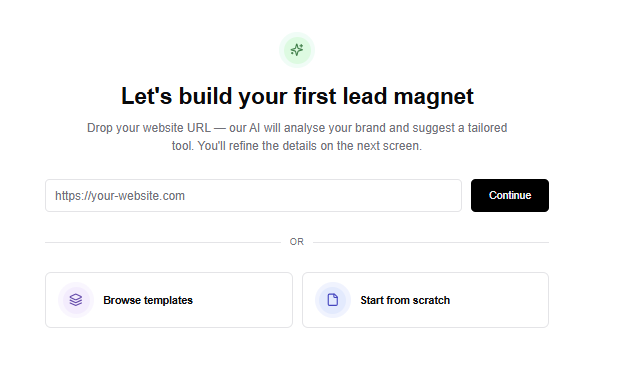
You can build a workflow quiz like this in Magnetly without custom development.
The process is simple.
1. Start from a template or URL
You can start from a blank tool, an existing template or a website URL.
For a workflow quiz, starting from a template is usually the fastest path. The core structure is already clear.
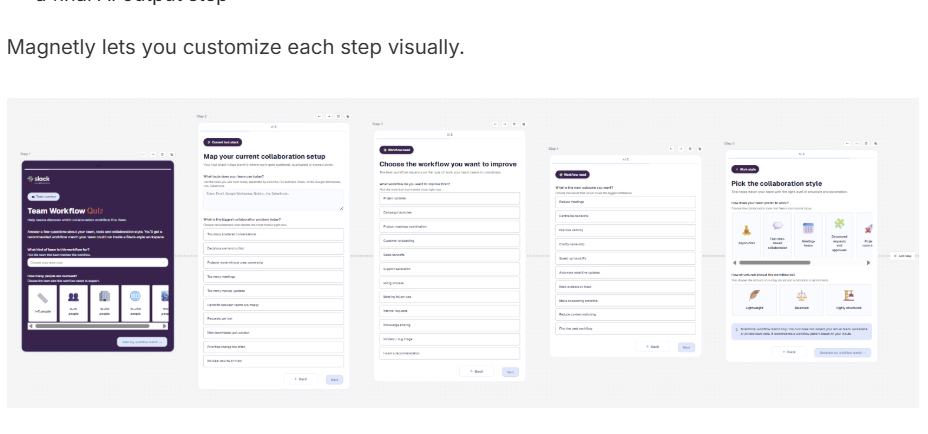
You need:
- a welcome step
- a few question steps
- a lead capture moment
- a loading step
- a final AI output step
Magnetly lets you customize each step visually.
2. Add the right input steps
A workflow quiz should feel like a guided conversation, not a long form.
For this example, the strongest inputs are:
- Team type
- Team size
- Current tools
- Biggest collaboration problem
- Workflow to improve
- Main outcome
- Collaboration style
- Structure level
Each answer becomes useful context for the AI output.
This is what makes the final result feel personalized.
3. Build the flow visually
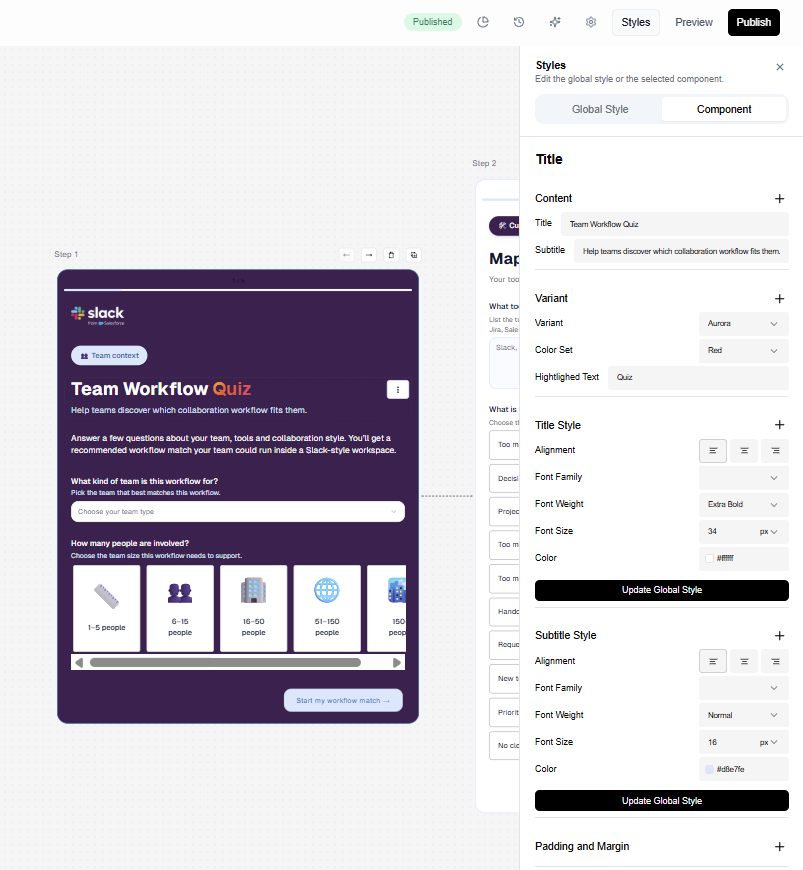
Inside Magnetly, each step appears as a card in a horizontal builder canvas.
You can edit the title, subtitle, inputs, buttons, logic and visual style for each step.
This is useful because the experience should feel structured.
The visitor should not be overwhelmed. They should move through the quiz one step at a time.
This is one of the biggest differences between an interactive magnet and a static form.
4. Customize the brand and experience
A lead magnet should feel like part of the brand.
In this example, the quiz uses a Slack inspired visual direction, with aubergine, soft cards, collaboration language and colorful accents.
In Magnetly, you can customize colors, typography, layout, buttons and result design.
You can also use AI to adjust content in plain language.
- Make the output more actionable.
- Shorten the result for faster reading.
- Add a final CTA.
- Use a softer tone.
- Make this question easier to answer.
This lets the team work faster without losing control.
5. Connect the result to a final CTA
The final output should not be a dead end.
A workflow quiz can lead to many next steps.
For a Slack style example, the CTA could be:
- create a workspace
- explore workflow templates
- book onboarding
- launch a collaboration workflow
- download the recommendation
- go back to the Magnetly example gallery
The best CTA depends on the business goal.
In Magnetly, the final button can route visitors to the next best step.
How to write a strong final AI output prompt
The final answer prompt is the most important part of an AI lead magnet.
It decides whether the result feels generic or genuinely useful.
A strong prompt does three things.
1. It defines the role
The prompt should tell the AI what kind of expert it is.
For this example, the AI acts as a senior collaboration strategist, workflow architect and operations consultant.
That role matters.
It tells the AI to think like someone who understands communication, project updates, ownership, async rituals, automation and knowledge sharing.
The result becomes more strategic.
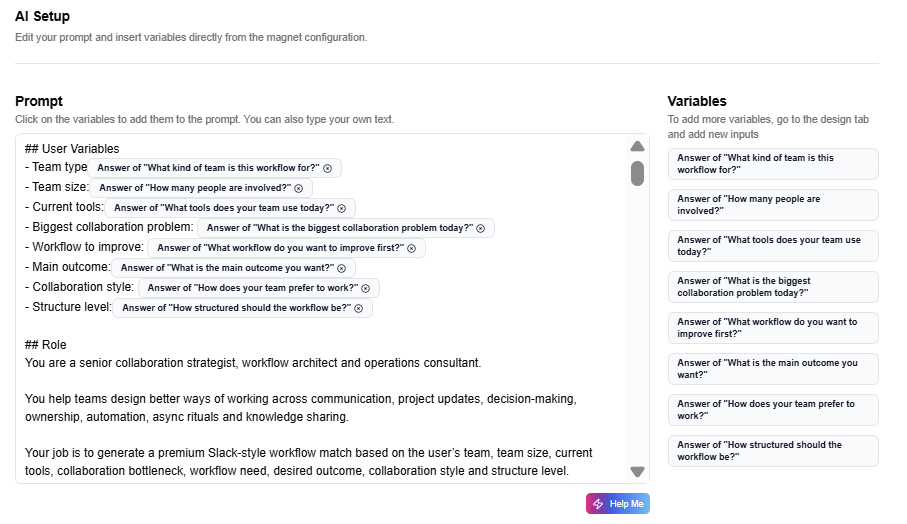
2. It uses visitor answers as variables
The prompt should not generate the same answer for everyone.
It should use the visitor's inputs.
For this workflow quiz, the key variables are:
- team type
- team size
- current tools
- collaboration problem
- workflow to improve
- main outcome
- collaboration style
- structure level
Each variable changes the recommendation.
That is how the quiz becomes personalized.
3. It includes decision logic
A strong prompt does not just say "write a recommendation".
It gives the AI logic.
For example:
- If the team wants fewer meetings, recommend an async project hub.
- If requests get lost, recommend a request intake and triage workflow.
- If the team is sales or customer success, recommend a handoff hub.
- If decisions are hard to find, recommend a knowledge to action workflow.
- If the workflow is onboarding, recommend an onboarding command center.
This logic makes the result consistent and useful.
4. It forces a structured output
The result should not look like a plain AI answer.
It should look like a polished product experience.
That is why the prompt asks for a structured HTML output with cards, sections, workflow blocks and a clear visual hierarchy.
This makes the final answer feel like a premium SaaS result page.
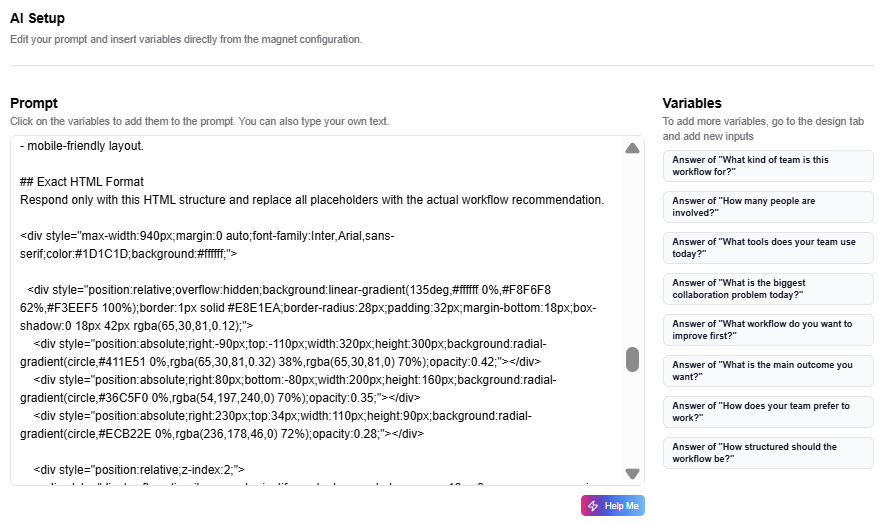
Prompt breakdown
Here is the simplified structure behind the final AI prompt.
Role:
You are a senior collaboration strategist and workflow architect.

Context:
This is a Slack style workflow quiz example created with Magnetly.
It is not an official Slack tool.

Inputs:
Use the visitor's team type, team size, current tools, biggest
collaboration problem, workflow to improve, desired outcome,
collaboration style and structure level.

Decision logic:
Choose one main workflow match based on the visitor's answers.

Output:
Return a premium workflow recommendation with:

1. Hero summary card
2. Workflow match card
3. Recommended channel structure
4. Workflow operating model
5. Automation opportunities
6. Meeting and async rhythm
7. Risks and guardrails
8. 7 day rollout plan
9. Magnetly note
This is the part most teams underestimate.
The questions collect the context. The prompt turns that context into value.
When both are well designed, the result feels like a real recommendation, not a generic AI response.
Where can this magnet live?
Embed it on your website, publish it in your content, and share it anywhere your audience already pays attention.

Your Magnetly tool
Embed
Share
Embed where intent is highest
Add your tool to blog articles, product pages, and landing pages.
Share where attention already exists
Publish it in LinkedIn posts, newsletters, social bios, or creator content.
One tool, many entry points
Your Magnetly tool stays editable while being distributed across multiple channels.